The Web Has a New User. It Isn't Human.

There’s a quiet shift happening on the web, and most e-commerce teams haven’t noticed yet.

Users aren’t just opening browsers anymore. They’re asking ChatGPT, Claude, Gemini, and a growing zoo of autonomous shopping agents to go do the shopping for them. The humans still approve the purchase — but the discovery, the comparison, the “what’s the best one under $150” part? That’s being delegated.

And here’s the uncomfortable question every merchant should be asking in 2026:

When an agent goes looking for your product, can it actually see your store?

If you’re on Shopify, probably yes. Shopify has been quietly wiring up agent-readable endpoints for months. If you’re on WooCommerce, Magento, BigCommerce, a headless Next.js build, or — honestly — anything else, the answer is almost certainly no.

That’s the problem I’ve been poking at for a while. Today I’m putting out one possible approach — and opening it up for others to poke at.

It’s called OCP — the Open Commerce Protocol.


The Same Movie, Different Decade

I’ve written before about how every tech revolution follows the same playbook: hype, projection, panic, investment, reality check, and then — slowly — the real value emerges in places nobody predicted.

The agentic commerce wave is no different. The trillion-dollar headlines are already here. The “AI will run your store” decks are already being shopped around boardrooms. Meanwhile, the actual infrastructure problem is embarrassingly mundane:

Agents can’t read most of the web.

Not because the tech is hard. Because there’s no standard way for a website to say “here’s my catalog, here’s how to search it, here’s how to add something to a cart.”

We’ve seen this exact movie before. Before sitemaps.xml, search engines crawled blind. Before RSS, you had to visit every site manually. Before Schema.org, Google had to guess what a product page actually was. Every time, the fix was the same: a small, boring, open protocol that everyone could adopt in an afternoon.

Agentic commerce needs that moment. Right now.


The Shopify Problem

Let me be blunt about why this matters.

When an agent searches “best hiking boots under $150,” it can only recommend stores it can read. Shopify stores surface. The rest of the web doesn’t. That’s not a fairness problem — that’s a distribution collapse.

The long tail of commerce — the independent brands, the niche shops, the DTC founders, the local stores running on WooCommerce plugins older than some of their customers — is staring down a future where they’re structurally invisible to the next dominant shopping channel.

You can’t solve that by telling every small merchant to rewrite their backend against five competing agent protocols. MCP, UCP, ACP, A2A, WebMCP — every framework has its own opinion about how an agent should talk to a store. If you’re a founder running a single-person brand, you are not going to implement five of them. You’re going to implement zero.

That’s where the protocol wars lose their customers.


Bridge, Don’t Replace

Here’s the design principle OCP is built on — and the part I think matters most:

One OCP setup can produce all the other protocols automatically.

Not “OCP instead of MCP.” Not “OCP vs ACP.” OCP sits underneath them and translates.

Your Store
    │
    ▼
┌─────────────────────────────────────────────────────────┐
│                  OCP Core Setup                          │
│   .well-known/ocp.json  │  ocp/products.jsonl  │ ocp.md │
└──────┬──────────┬────────┬───────────┬──────────┬───────┘
       │          │        │           │          │
       ▼          ▼        ▼           ▼          ▼
   MCP Server  UCP      ACP        A2A Card   WebMCP
   (Claude,    Manifest  Endpoints  (Google    (Chrome
    Cursor)    (Google   (OpenAI    agent-to-  browser
               checkout) agents)    agent)     runtime)

You publish two static files. A bridge command turns them into MCP servers, UCP manifests, ACP endpoints, A2A agent cards, and WebMCP tool registrations. When the next protocol ships — and there will always be a next protocol — you add one bridge, not one integration.

I think this is the kind of design that has a shot at surviving the next five years. Because the next five years are going to be loud.


The Five-Minute Setup

The whole point of OCP is that the minimum viable implementation is stupidly small. That’s not a design compromise — it’s a deliberate bet.

Two files on any web server:

/.well-known/ocp.json — a manifest describing your store.

/ocp/products.jsonl — one product per line, plain text.

That’s it. No backend. No API keys. No framework lock-in. No ongoing maintenance beyond regenerating the feed when your catalog changes.

If your site already has Schema.org markup on product pages, you don’t even have to write those files yourself:

npx @opencommerceprotocol/cli crawl https://mystore.com

The crawler walks your site, reads the structured data you already published for Google, and generates the OCP files for you. I’ve tested it on stores ranging from a single-developer Astro build to a 40,000-SKU WooCommerce instance. So far, it’s held up.

If you want more — interactive tools for agents, a conversational chat widget for your human shoppers — you can progressively enhance. Drop in one script tag and your handlers are exposed to WebMCP (Chrome 146+), fall back to window.__ocp for older agent frameworks, and simultaneously power an embedded chat assistant for human visitors.

That last part is the thing that quietly sold me on shipping this. The chat widget is the merchant’s first tangible ROI. Agents are still warming up. Human shoppers are here right now, and they’ll happily talk to a shopping assistant that actually knows your catalog. You get the human-facing win immediately, and the agent-facing win arrives on the same rails a few weeks later as crawlers index your manifest.


What “Measured” Looks Like Here

I’ve been pretty loud on this blog about my skepticism toward “slap AI on it” strategies. I stand by that. OCP is not a magic AI feature. It’s an attempt at boring, foundational infrastructure.

That’s the point.

The revolutionary applications — AI that runs your entire store, negotiates with suppliers, reprices in real time — those are years away and will require regulation, trust frameworks, and social consent that doesn’t exist yet. Meanwhile, some practical applications seem available today for anyone willing to ship something small:

  • An independent bookstore getting recommended by an AI reading assistant when someone asks for “a good book on systems thinking.”
  • A DTC coffee brand getting surfaced when an agent is helping someone restock their pantry.
  • A B2B parts supplier being discoverable to a procurement agent that would otherwise default to the three giants everyone already knows.

None of this is trillion-dollar-projection stuff. It’s just merchants not being invisible. And right now, that’s the whole game.


Why It Has To Be Open

There’s a version of this project that ships as a SaaS — “we’ll make your store agent-readable for $49/month” — and the unit economics would probably work. That’s exactly why I think it would be the wrong move.

Protocols tend to die when they’re owned. The web works because nobody owns HTTP. Schema.org works because nobody owns Schema.org. A commerce layer for agents only becomes a default if no single company sits on top of it extracting rent — otherwise platforms route around it, and we end up back where we started with five competing stacks.

The long tail can’t afford a middleman. The whole point of this is that small merchants are structurally at risk of being invisible to agents. Putting a paywall on the fix reproduces the exact problem the protocol is trying to solve.

Open is likely the only way it outlives any one maintainer. The useful version of OCP is the one other people feel ownership of — fork it, argue with it, ship adapters for platforms I’ve never heard of, eventually make it better than it starts out. That requires Apache 2.0 and a public spec, not a licensing agreement.

So it’s all open. Spec, CLI, runtime, bridges, adapters for Shopify, WooCommerce, and a generic Schema.org flow. If you want to contribute an adapter for your platform, the repo is waiting.


See It Running

Abstract protocols are easy to hand-wave about, so the repo ships a working example for every flavor of store you’re likely to have. All of them are open source under examples/ and most are deployed live:

Clone any of them, point the CLI at them, or just read the manifests. They’re deliberately small so you can skim the whole thing in a single sitting.


What’s Actually In The Box

For anyone who wants the technical rundown:

  • @opencommerceprotocol/spec — the protocol itself. Versioned, JSON-schema-validated, deliberately minimal.
  • @opencommerceprotocol/cli — crawl, init, validate, bridge. The one command a merchant ever has to learn.
  • @opencommerceprotocol/runtime — ~8KB gzipped browser runtime. Registers tools with WebMCP, falls back for older frameworks, powers the human chat widget.
  • @opencommerceprotocol/validator — makes sure your manifest and feed are actually valid before agents see them.
  • @opencommerceprotocol/bridge-mcp, bridge-acp, bridge-ucp, bridge-a2a — the translation layers to every other agent protocol currently in flight.
  • Adapters for Shopify, WooCommerce, and a generic Schema.org flow for everyone else.
  • @opencommerceprotocol/registry — optional discovery layer for agents that want to browse participating stores.
  • @opencommerceprotocol/analytics — because if you’re going to ship this in production, you need to know which agents are actually showing up.

All of it lives at opencommerceprotocol.org, with the full spec, documentation, examples, and quickstart guides. The source is on GitHub under Apache 2.0.


The Ask

If you run an e-commerce site — try it. npx @opencommerceprotocol/cli crawl against your own domain. It takes less time than reading this post. Tell me what breaks.

If you build agent frameworks — look at the bridges. Tell me what I got wrong about your protocol’s semantics. I’d rather fix that now than after stores are depending on it.

If you work on a platform (Shopify, Wix, Squarespace, WooCommerce, Magento, anything) — let’s talk about first-class support. This gets radically better the moment platforms ship it in the box.

And if you just want to argue about whether any of this is the right design — good. That’s what open protocols are for. Open an issue. File a PR. Poke holes in the spec. That’s how this gets better.


Final Thought

The agentic web is not going to be turnkey. No revolution ever is.

But the companies and independent merchants that make it through this transition are going to be the ones who did the boring, infrastructural work early. Not the ones who wrote “AI-powered” on a slide. The ones who made their catalog legible to machines while everyone else was still debating which model to use.

Two files. Five minutes. One proposal.

The web has a new user. It isn’t human. Time to let it in.

📚 Further Reading


Critical Thinking in the Age of AI

We’re entering a weird phase of software.

AI can generate code. AI can generate UI ideas. AI can generate confidence.

That last one is the dangerous part.

The failure mode isn’t “AI is useless.” The failure mode is “AI is plausible” — so teams stop doing the boring checks that keep production from catching fire.

Engineering teams across the industry are shipping AI-generated database migrations without understanding the schema changes. Marketing teams deploy AI-written copy that confidently claims features the product doesn’t have. Support teams paste chatbot responses that solve the wrong problem entirely.

The code compiles. The tests pass. The metrics look green.

Until they don’t.

Addy Osmani published something that cuts through the noise: "Critical Thinking during the age of AI." It’s a simple framework — almost embarrassingly obvious. Which is exactly why it works.

The Framework That Actually Matters

Addy structures critical thinking around six questions: Who / What / Where / When / Why / How

Not as philosophy. As an operating system for teams building with AI.

Here’s what that looks like when you’re actually shipping product.


Who: Authority Is Not Optional

When an LLM generates code that looks authoritative, your brain wants to merge and move on.

That’s the trap.

I’ve seen production incidents caused by AI-suggested changes that nobody actually understood — not because the team was careless, but because the process didn’t catch it. The code was syntactically correct. It even passed tests. But when it hit production at 2 AM, nobody knew how to debug it because nobody had owned the decision to ship it.

Treat AI output like it came from an eager intern: useful draft, zero authority.

Before you ship, answer:

  • Who is accountable when this breaks?
  • Who understands the domain enough to validate this?
  • Who reviewed the security implications?
  • Who will debug this at 3 AM?

Critical thinking is a team sport. “Who’s in the room?” determines whether you ship a feature or a time bomb.


What: Define the Problem Before You Code the Solution

Most AI workflows skip straight to implementation.

You type: “How do I implement X?”

And now you’re building a solution to a problem you never validated. I’ve watched teams spend weeks optimizing AI-generated database queries when the real problem was that nobody had explained to the AI that the data model was wrong.

The better sequence:

  • What is actually failing? (Not what users say. What the data shows.)
  • What does success look like? (Specific, measurable.)
  • What evidence supports this being the right problem?

“Users say it’s slow” is not a problem statement. It’s a symptom.

Is it slow for all users or a segment? Slow on mobile or desktop? Slow because of render time, network latency, or database queries?

Define the problem with specificity or you’ll optimize the wrong thing.


Where: Context Is King (Sandboxes Lie)

A fix that works in a local development environment can be a production catastrophe.

Real example: AI suggests using a synchronous API call because that’s what worked in the documentation example. Ships to production. Blocks the main thread. App freezes. User churn spikes 40%.

Before you ship, map the context:

  • Where does this run? (Mobile device with 2GB RAM? Edge worker with 50ms timeout? Server with unlimited resources?)
  • Where in the user journey does this fail? (New users? Power users? Specific workflows?)
  • Where are the downstream dependencies? (What breaks if this service goes down?)

AI is great at local solutions. Real engineering is understanding the system it lands in.


When: Triage vs Root Cause

Under pressure, teams default to speed: restart the service, roll back the deploy, “just ship it.”

Sometimes that’s correct. But label it honestly: This is a band-aid. We’re buying time.

The critical skill is knowing when speed matters and when rigor is non-negotiable.

Triage is for production fires. Root cause analysis is for everything else.

And if you do a quick fix, schedule the follow-up immediately. Otherwise, the band-aid becomes “the architecture”, and you’re debugging it three years later, wondering why nobody can remember why it was built that way.


Why: Stop Shipping Vibes

“Why are we doing this?” is the most underrated product question in 2025.

If the answer is:

  • “Because it’s trendy.”
  • “Because our competitor did it.”
  • “Because the AI suggested it.”

That’s not a why. That’s a vibe.

Real example: A team ships an AI chatbot because “everyone’s doing AI now.” Usage is 2%. Support tickets increase 30% because the bot can’t escalate to humans. Six months later, they shut it down.

Nobody asked: Why do users need this? What problem does it solve that humans or docs can’t?

Use the 5 Whys framework when debugging failures:

  • Why did the model fail? (Data quality dropped)
  • Why did data quality drop? (Pipeline dependency broke)
  • Why wasn’t it caught? (No monitoring on that metric)
  • Why is monitoring missing? (Team assumed it was covered)
  • Why did we assume? (No ownership clarity)

Stop fixing symptoms. Fix causes.


How: Show Your Work

The final trap: skipping justification.

You paste the AI-generated solution. It compiles. Tests pass. Ship it.

Six months later, someone asks: “Why did we implement it this way?”

Nobody remembers.

Critical thinking shows up in how you communicate:

  • What’s the proposal?
  • What’s the rationale?
  • What evidence supports it?
  • What are the trade-offs?
  • What alternatives did we consider?

If you can’t explain it clearly in a pull request description, you don’t understand it yet. And if you don’t understand it, you can’t maintain it.

AI doesn’t change that. It amplifies it.


The Pre-Ship Checklist That Keeps Production Stable

Before you merge AI-assisted changes:

  • Who is accountable? Who reviewed it? Who owns debugging it?
  • What problem is this solving? Show the evidence.
  • Where could it break? Map the environments and dependencies.
  • When is this a triage fix vs root-cause work?
  • Why is this the right approach? What alternatives exist?
  • How will we validate it? What’s the rollback plan?

This isn’t bureaucracy. It’s how you maintain velocity and quality when your draft engine is infinite.


The Real Competitive Advantage

AI makes it easy to look productive.

Critical thinking is what keeps you effective.

The teams that win in the next few years won’t be the ones that “use AI the most.” They’ll be the ones who keep their judgment intact while using it.

Because when everyone can generate infinite code, the differentiator is knowing what not to ship.


Further Reading


The AI Revolution Isn't a Switch You Flip

We’ve all seen the headlines. “AI is taking over.” “The future is now.” And if you’ve been anywhere near a product roadmap in the past 18 months, odds are someone has scribbled “AI” into a Q3 objective and called it innovation.

But here’s the truth: the AI revolution won’t happen overnight — and that’s not a failure. It’s just how revolutions actually work.

Harvard Business Review just published something that cuts through the noise. In “The AI Revolution Won’t Happen Overnight,” Paul Hlivko—a CIO with three decades of tech implementation experience—delivers a reality check every company chasing AI dreams needs to hear.

His opening assessment of McKinsey’s $17.1–$25.6 trillion prediction? “A seductive vision. It’s also a hallucination.”

That’s not pessimism talking. That’s pattern recognition.

The Same Movie, Different Decade

“I’ve seen this movie before. It rarely ends the way the trailer promises.”

Anyone who’s been in tech long enough knows this feeling. Remember when blockchain was going to revolutionize everything? When VR was going to replace physical reality? When the metaverse was going to be the next internet?

The pattern is always the same: revolutionary technology emerges, consultants create trillion-dollar projections, companies panic about being left behind, massive investments follow, reality hits, and the real value emerges slowly, quietly, in practical applications nobody predicted.

AI is following this exact playbook.

Hype Is Outpacing Reality

Here’s what Hlivko nails: AI capabilities are improving exponentially, but most organizations are adopting it in a straight line—slowly, hesitantly. That gap between what’s possible and what’s practiced? It’s a problem. And it’s widening.

We’ve all seen the slide decks that throw around “AI-powered X” like it’s a checkbox. However, integrating AI is not as simple as flipping a feature flag. It demands rethinking systems, data governance, team dynamics, and customer interactions.

The tech might be magical, but deploying it isn’t.

It’s Not Just About the Tech

There’s a false comfort in treating AI as a tool you install, rather than a force that reshapes how your organization thinks. Culture, training, governance—all of it matters.

You don’t need a CTO with a ChatGPT wrapper. You need people who understand what the model does, what it doesn’t, and how it fits into your product and process ecosystem.

What Actually Works

The companies winning with AI today aren’t chasing trillion-dollar visions. They’re solving specific problems:

  • Development teams cutting debugging time by 40% with AI-assisted code review
  • Customer service operations handling 3x more inquiries with AI-powered response suggestions
  • Marketing teams producing personalized content at an unprecedented scale

These aren’t headline-grabbing use cases. They won’t generate trillion-dollar economic impact projections. But they’re real, measurable, and happening now.

Measured Beats Magical

The revolutionary applications everyone’s predicting—AI running entire businesses, solving world hunger—require infrastructure, regulatory frameworks, and social changes that take decades to develop. However, productivity applications are available today for companies that are smart enough to implement them thoughtfully.

So, before slapping AI on the next sprint board, ask:

  • What’s the problem we’re solving?
  • How will AI actually help?
  • Are we ready to wield this tool with the care it demands?

If the answer’s “maybe,” then good—you’re thinking clearly.

The Three C’s That Actually Matter

Want to change how your organization approaches AI? Focus on three fundamentals:

Culture - Stop treating AI adoption like a technology rollout. It’s an organizational shift. The teams succeeding with AI aren’t just deploying models—they’re building environments where experimentation is safe, failure is learning, and iteration is expected.

Critical Thinking - Question everything. Not just the AI outputs, but the problems you’re trying to solve. Why this use case? Why now? What happens if it doesn’t work? The companies getting AI right are the ones asking hard questions before, during, and after implementation.

Curiosity - The best AI implementations come from teams genuinely curious about what’s possible, not just what’s profitable. They’re exploring edge cases, testing assumptions, and discovering applications nobody planned for. Curiosity drives the experimentation that turns hype into value.

These aren’t soft skills. They’re competitive advantages. The AI revolution is happening. It’s just not happening the way the consultants predicted. It’s happening one practical use case at a time, one efficiency gain at a time, one solved problem at a time.

And it’s happening fastest at companies that prioritize how they think over what they deploy.

The revolution is here. It’s just not turnkey.


Apple’s AI Crisis Isn’t Just About Siri — It’s About Strategy. Time to Buy Cerebras

A growing consensus among long-time Apple watchers is that something’s broken in Cupertino.

And it’s not just bugs or another “meh” OS update. It’s deeper — a strategic drift, a credibility problem, and a serious lack of AI infrastructure. If Apple wants to stay relevant in the next era of computing, it needs to make bold moves. It needs to fix the foundation and build something real on top of it.

Here’s the move: Apple should acquire Cerebras.

But first, let’s look at where we are — and how we got here.


The Red Flags Are Everywhere

John Gruber’s Something Is Rotten in the State of Cupertino is required reading. He lays out how Apple overpromised a “more personalized Siri” and then quietly admitted that none of it was ready. No demos. No hands-on. Just a flashy WWDC concept video and months of silence. As Gruber puts it, this wasn’t a delay — it was bullshit.

Meanwhile, Timothy R. Butler’s Apple Needs a Snow Sequoia points to something more troubling: Apple’s core platforms feel neglected. Messages that can’t copy text. UI bugs across macOS and iOS. System settings that feel like they were designed blindfolded. It’s not just the future that’s in question — the present is already a mess.

Then comes Rui Carmo’s The Emperor’s New Clothes — a developer’s view from inside the machine. Carmo breaks it down technically: Siri hasn’t meaningfully changed since 2021. Apple Intelligence is more marketing than product. And perhaps most damning, Apple lacks the automation layer and internal architecture to pull any of this off. It’s not just behind on AI — it’s structurally unprepared to catch up.


Enter Cerebras: Proof That Real AI Performance Exists

Now compare all this to what Cerebras demonstrated — not in theory, but in production.

In a recent blog post, Cerebras detailed their work powering Mistral AI’s “Le Chat” assistant — a ChatGPT-style app that now delivers answers at over 1,100 tokens per second. That’s not just competitive. It’s faster than GPT-4o. That’s not running on GPUs. That’s running on Cerebras’ own wafer-scale AI chips — hardware they designed and built for this exact moment in computing.

Let that sink in.

While Apple is releasing concept videos of features it can’t demonstrate, Cerebras is powering production LLMs faster than anyone else. Mistral didn’t need a flashy ad campaign. They needed infrastructure that works. Cerebras delivered, highlighting the stark contrast between Apple’s promises and Cerebras’ actual performance.

This is exactly what Apple is missing: real AI performance, real scale, and real infrastructure.


Why Buying Cerebras Isn’t Optional

Here’s the thing: Apple doesn’t have time to build this from scratch.

Even if Apple fixes its OS bugs and gets its software teams back in shape (which it absolutely should — thanks, Tim Butler), it still doesn’t have the infrastructure to build and run serious models. Apple Silicon is great for phones and laptops. But training foundation models? Or serving inference at scale with real privacy and speed?

That’s not what M-series chips are for. That’s what Cerebras chips are for.

Buying Cerebras gives Apple:

  • AI hardware supremacy — with chips designed to train and deploy massive models efficiently.
  • End-to-end control — from training on private cloud infrastructure to deploying on-device.
  • Credibility — no more vaporware promises. Just working systems, built on real silicon.

And unlike NVIDIA, Cerebras is acquirable. It’s the kind of bold move Apple used to make.


The Playbook Is Obvious

Here’s what Apple should do:

  1. Buy Cerebras — make AI infrastructure a first-party capability.
  2. Ship a “Snow Sequoia” OS release — fix the fundamentals, clean house.
  3. Rebuild Siri from scratch — using actual AI, not glued-together shortcuts and App Intents.
  4. Stop pretending — and start delivering.

Do all that, and Apple isn’t playing catch-up anymore. It’s leading again — on its own terms.


Final Thought

Gruber called out the vapor. Butler showed the bloat. Carmo exposed the rot. And Cerebras? They showed what it looks like to ship real AI.

Apple, the clock is ticking.

You don’t need a better keynote. You need Cerebras.


📚 Further Reading


The Real Challenge with AI Adoption: Why Companies Get Stuck

The promise of generative AI is clear: it can dramatically accelerate how teams work. Yet many companies, from early-stage startups to established enterprises, are struggling to capture this value. While some teams ship new features in days instead of weeks, others spend months debating which AI model to use or navigating approval processes.

The Small Company Paradox

For small companies, the barriers often come down to uncertainty. When you’re running lean, every tool choice matters. Teams can get stuck evaluating endless options, worried about committing to the wrong platform. Meanwhile, without clear guidance, different departments might adopt conflicting tools, creating future technical debt.

This hesitation is particularly ironic because small companies stand to gain the most from AI adoption. A marketing team of two can now produce content at the scale of a much larger organization. A solo developer can generate test cases and documentation that would typically require a dedicated QA team.

The real game-changer? AI lets startups compete directly with industry giants. A small e-commerce store can now generate SEO-optimized product descriptions at the scale of Amazon—without hiring a dedicated content team. A boutique SaaS startup can use GenAI-driven chatbots to provide 24/7 customer support that feels as responsive as a Fortune 500 help desk. These aren’t future possibilities—this is happening today, and the companies that embrace AI early are the ones closing the gap fastest.

Enterprise Gridlock

Large organizations face a different challenge. Their size and regulatory requirements mean any new technology needs extensive vetting. A simple tool adoption that might take days at a startup can stretch into months of security reviews, compliance checks, and stakeholder approvals.

This caution isn’t entirely misplaced. Enterprise data security and regulatory compliance are serious concerns. But many organizations have overcorrected, creating approval processes so stringent that meaningful innovation becomes nearly impossible.

The result? Speed is outsourced to smaller, more agile competitors:

  • While one Fortune 500 retailer debates AI-powered customer insights, a smaller competitor deploys it, refining marketing campaigns in real-time and gaining a 20% market advantage
  • A legacy software giant spends months getting legal approval for AI-assisted coding, while a new SaaS disruptor ships faster, better-tested features in half the time

By the time slow-moving companies act, they’re not just behind—they’re losing market share, talent, customers, and revenue. AI adoption isn’t a theoretical risk, it’s a business risk. The biggest danger isn’t AI itself—it’s standing still while competitors move forward.

Moving Forward: A Practical Approach

The path to successful AI adoption requires balancing speed with thoughtful implementation. Here’s what works based on real-world observations:

Start with a Clear Use Case

Instead of trying to transform everything at once, pick a specific problem where AI can show immediate value. For example:

  • Automating test case generation for developers
  • Creating first drafts of marketing copy
  • Summarizing customer feedback themes
  • Generating product descriptions for e-commerce
  • Building automated customer support workflows

Make Smart Decisions Quickly

When evaluating AI tools, focus on these key criteria:

  • Solves a real problem – Does this tool address an actual pain point?
  • Fits your stack – Can it integrate smoothly without disrupting existing processes?
  • ROI-positive – Is the cost justified by efficiency gains or revenue impact?
  • Secure & compliant – Does it meet basic security and compliance requirements?

If a tool checks these four boxes, test it. If not, move on. The biggest mistake isn’t choosing the “wrong” AI tool—it’s spending months debating and choosing nothing.

This framework helps cut through analysis paralysis.

Scale What Works

Success with focused pilot projects builds confidence and creates internal advocates. A single successful implementation—whether it’s cutting development time by 30% or doubling content output—provides the evidence needed to expand adoption.

Implementation Strategies

For small companies, the priority should be quick experimentation in areas where resources are stretched thin. A small marketing team might start with AI-assisted content creation, measure the impact on output and quality, then expand to other marketing functions based on results.

For enterprises, the key is creating safe spaces for innovation within governance frameworks. Some effective approaches include:

  • Establishing fast-track approval processes for low-risk AI pilots
  • Creating sandboxed environments for controlled testing
  • Forming dedicated AI innovation teams to evaluate tools and establish best practices
  • Building clear guidelines for department-level AI adoption

The technology landscape will continue evolving rapidly. Forward-thinking companies are already seeing results: faster development cycles, more efficient operations, and better customer experiences. The gap between these early adopters and those waiting on the sidelines grows wider each month.

Starting small doesn’t mean moving slowly. It means being deliberate about where and how you implement AI, measuring the impact, and scaling what works. The companies that thrive will be those that find this balance between thoughtful implementation and decisive action.

AI adoption isn’t a luxury—it’s now a competitive necessity.


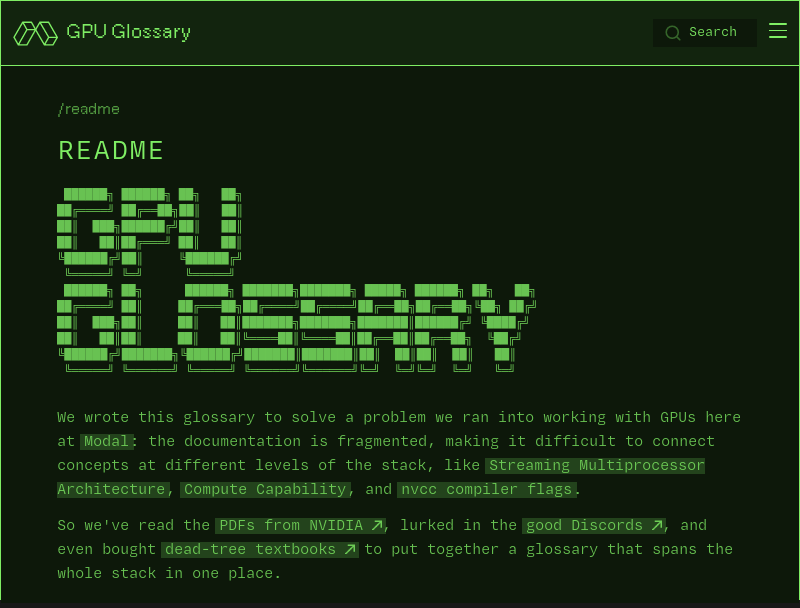
A Handy GPU Glossary by Modal 🔗

If you’re exploring GPUs and their role in AI or machine learning, check out Modal’s GPU Glossary. It’s a simple, no-nonsense guide to GPU basics—great for beginners or anyone needing a quick refresher.

From CUDA cores to TensorRT, the glossary explains key terms clearly and concisely. Perfect for cutting through the noise and getting the essentials.

Take a look—it’s worth it!


Xcode through the years 🔗

Xcode has come a long way. An excellent trip down memory lane.


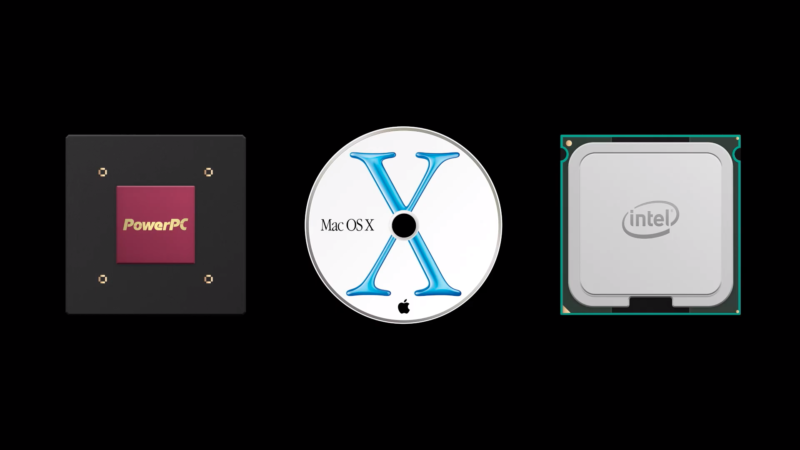
20 years of macOS 🔗

After using Classic Mac OS at school for some time, it took me several years to return to the Mac. It was 2004, and I was happy to discover Mac OS X 10.3 Panther. It was completely new and better. Been using it until today (not Panther, though) and will, for the coming years. Some behind the back usages of other OSes, but let him who is without sin cast the first stone.


Oblivious DoH - a new DNS standard 🔗

Today we are announcing support for a new proposed DNS standard — co-authored by engineers from Cloudflare, Apple, and Fastly — that separates IP addresses from queries, so that no single entity can see both at the same time. Even better, we’ve made source code available, so anyone can try out ODoH, or run their own ODoH service!


Modern IDEs are magic. Why are so many coders still using Vim Emacs? 🔗

They say old habits die hard. That must be the reason why so many of my developer colleagues like using Vim (mostly) to develop these days. I must admit I never understood the why of it, but if you’re ok with it, use whatever makes you happy.